
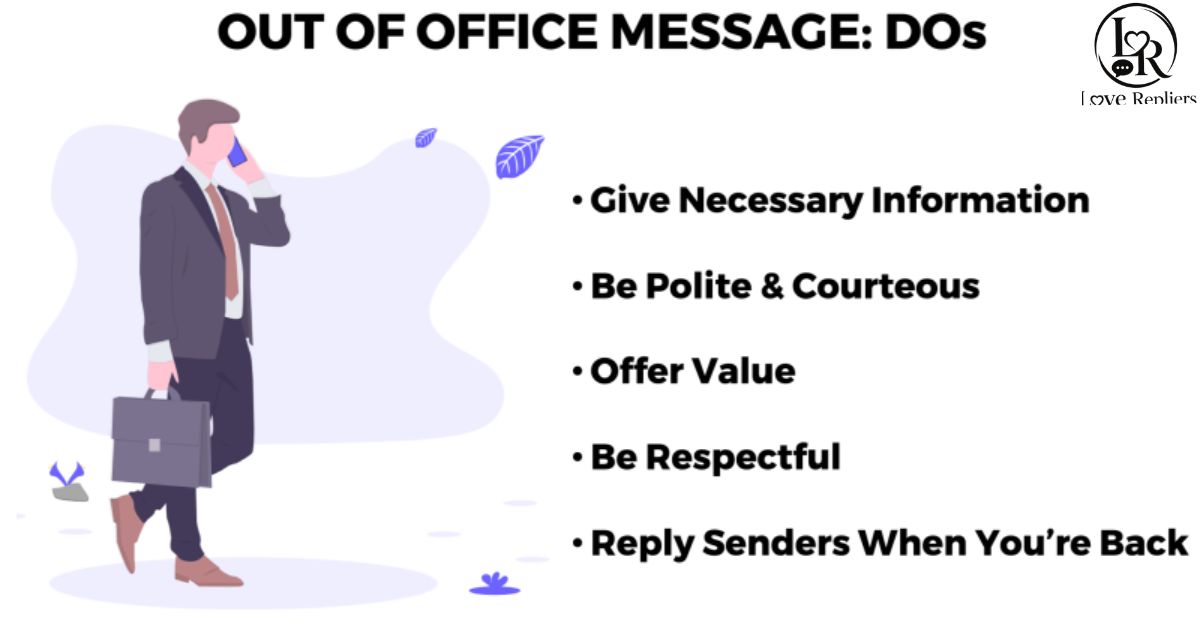
Finding the right out of office message can save time and keep communication professional. Whether you are on vacation, sick leave, or attending meetings, a clear auto-reply sets the right expectations.
This collection of 75+ top out of office message templates and examples helps you respond politely while staying professional. Use them for work emails, holidays, business trips, or personal time away.
Trending Today ; 280+ Flirty Responses to How Was Your Day
What is an out of office (OOO) message?
An out-of-office message 📧 is an automatic email reply that informs people you are currently unavailable. It helps contacts know when you will return and who they should contact for urgent matters while you are away.
Also Known As
OOO email message :A ready-made reply sent during your absence
Vacation auto-reply :An automatic response used while on leave or holiday
Away message email :A notice that tells senders you are temporarily unavailable
When to use an out-of-office message and its importance
An out-of-office notification is important whenever you are unable to reply to emails on time. It helps maintain professional communication, informs people about your absence, and sets clear expectations for when they can expect a response.
Common Situations to Use an OOO Auto Reply
- Vacation or holiday :Let contacts know you are enjoying time off and will respond after returning 🌴
- Sick leave :Notify people that you are temporarily unavailable because of health-related reasons 💊
- Business trip or work travel :Explain that you are traveling for work and may have delayed email access ✈️
- Maternity or paternity leave :Inform coworkers and clients about your extended family leave and backup contact 👶
- Office closure :Update customers or clients about holidays, weekends, or temporary business shutdowns 🏢
How to write an out of office message
Writing an out-of-office message 📧 is simple when you include clear details about your absence, return date, and alternative contact information. A professional auto-reply helps people understand delays and keeps communication polite and organized while you are away.
Steps to Write an Out-of-Office Message
- Start with a polite greeting :Thank the sender for their email and acknowledge their message 😊
- Mention your absence :Clearly state that you are currently out of the office 📅
- Add your return date :Let people know when you will be available again ⏰
- Provide an alternate contact :Share another person’s details for urgent matters 📞
- Keep the message short and professional :Use simple and respectful language for better communication ✉️
What to include in an out of the office email message

An out-of-the-office email message 📧 should include clear and useful information so people understand your absence and know what to expect. A well-written auto-reply keeps communication professional, organized, and helpful while you are unavailable.
What to Include in an Out-of-Office Email Message
- Reason for absence :Briefly explain why you are away from work 🌴
- Dates of unavailability :Mention when you are leaving and returning 📅
- Expected response time :Tell people when they may receive a reply ⏰
- Alternative contact person :Provide another contact for urgent matters 📞
- Professional and polite tone :Keep your message respectful and easy to understand 😊
- Closing message :End with a short thank-you or kind note ✉️
| Element | Purpose |
| Greeting | Politely acknowledge the sender |
| Absence details | Explain that you are unavailable |
| Return date | Share when you will respond again |
| Backup contact | Help with urgent requests |
| Response expectations | Reduce confusion about delays |
| Closing note | End the message professionally |
Common mistakes to avoid when writing out-of-office messages
Writing an out-of-office message 📧 may seem simple, but small mistakes can confuse senders or appear unprofessional. A clear, polite, and informative auto-reply helps maintain smooth communication and ensures people know what to expect while you are away.
Common Mistakes to Avoid in Out-of-Office Messages
- Forgetting to include return dates :People may not know when you will reply 📅
- Using overly long messages :Keep your auto-reply short and easy to read ✉️
- Leaving out backup contact details :Urgent matters may go unanswered 📞
- Sharing too much personal information :Avoid unnecessary details about your absence 🔒
- Using an unprofessional tone :Keep the message polite and business-friendly 😊
- Forgetting to turn off the auto-reply :Your message may continue after you return ⏰
Catchy subject lines to use in your out of office messages
A catchy out-of-office subject line 📧 helps grab attention and quickly informs people that you are unavailable. A clear and creative subject line can make your auto-reply look more professional, friendly, and easier for senders to understand immediately.
Catchy Subject Lines for Out-of-Office Messages
- Currently Out of Office :Simple and professional for work emails ✉️
- Away from My Desk :A friendly and commonly used subject line 💻
- On Vacation – Back Soon :Perfect for holiday or travel leave 🌴
- Taking Some Time Off :A polite way to mention personal leave 😊
- Limited Email Access :Useful during business trips or meetings ✈️
- Out Today, Back Tomorrow :Great for short absences or one-day leave 📅
Top out of office message examples and templates

Our collection of 75+ Top Out-of-Office Message Templates & Examples 📧 includes professional and ready-to-use auto-replies for every situation. These customizable templates help you stay professional, inform contacts clearly, and save time when setting up your away message.
Template Categories in Our 75+ Out-of-Office Examples
- Vacation and holiday templates :Ideal for personal leave, holidays, and travel plans 🌴
- Business trip auto-replies :Perfect for conferences, meetings, and work travel ✈️
- Medical and family leave messages :Useful for sick leave, maternity, or paternity time 🏥
- Funny and creative OOO messages :Add humor and personality to your replies 😄
- Short and simple auto-responses :Quick messages for brief absences ⚡
- Professional client-facing templates :Best for formal communication with customers 💼
| Template Type | Best For | Key Feature |
| Vacation Message | Personal time off | Return date + backup contact |
| Business Travel | Conferences and meetings | Limited email access note |
| Medical Leave | Health-related absence | Professional absence update |
| Holiday Closure | Office shutdowns | Company reopening details |
| Quick Auto-Reply | Short leave | Simple and fast response |
| Client-Facing Template | External communication | Formal and polished tone |
How to add out of office email message in BoldDesk
Adding an out-of-office email message in BoldDesk 📧 helps automate replies when you are unavailable. It ensures customers and team members receive timely updates about your absence and know when to expect a response from you or your support team.
Steps to Add an Out-of-Office Message in BoldDesk
- Log in to your BoldDesk account :Access your dashboard using your account credentials 🔐
- Go to profile or settings :Open account settings to manage email preferences ⚙️
- Find auto-reply or away settings :Look for the out-of-office or autoresponder option 📩
- Write your out-of-office message :Add your absence details, return date, and backup contact ✍️
- Save and activate the message :Enable the auto-response feature so replies are sent automatically ✅
How to set up out-of-office messages
Setting up an out-of-office message 📧 helps inform people that you are unavailable and may respond later. A properly configured auto-reply keeps communication professional, manages expectations, and provides helpful information while you are away from work or email.
Steps to Set Up an Out-of-Office Message
- Open your email settings :Go to the settings section in your email account ⚙️
- Find the auto-reply feature :Look for “Out of Office” or “Automatic Replies” option 📩
- Enter your message details :Include your absence reason and return date ✍️
- Add an alternative contact :Provide backup contact information for urgent matters 📞
- Choose start and end dates :Schedule when the auto-reply should activate and stop 📅
- Save and enable the message :Turn on the auto-response feature to activate it ✅
| Platform | Access Point | Key Feature |
| Gmail | Settings → Vacation responder | Automatically schedules start and end dates |
| Microsoft Outlook | File → Automatic Replies | Separate replies for internal and external contacts |
| Apple Mail | Preferences → Rules | Creates custom rule-based auto responses |
| Microsoft Teams | Profile → Status | Syncs status updates with Outlook calendar |
| Slack | Profile → Status | Displays away status across all channels |
Always be professional and reliable with an out of office message
An out-of-office message 📧 helps you stay professional and reliable even when you are unavailable. A clear and polite auto-reply informs people about your absence, sets response expectations, and ensures smooth communication with coworkers, clients, and customers during your time away.
Tips to Stay Professional with an Out-of-Office Message
- Use a polite and professional tone :Keep your message respectful and easy to understand 😊
- Provide accurate return information :Clearly mention when you will be available again 📅
- Include an alternative contact :Help urgent requests get support while you are away 📞
Creative and Funny Out of Office Message Ideas
Creative and funny out-of-office messages 😄 add personality to your auto-replies while still keeping communication clear. These messages can make coworkers, clients, or customers smile while informing them that you are unavailable and may respond later after returning to work.
- Currently out making memories, not replying to emails 🌴
- I’m away from my inbox and pretending emails don’t exist 😎
- Out of office with limited Wi-Fi and unlimited relaxation ✈️
- If this is urgent, please contact someone who isn’t on vacation 😂
- I’ll reply when coffee and motivation return together ☕
Out of Office Messages for Holidays and Vacations
Out-of-office messages for holidays and vacations 📧 help inform coworkers, clients, and customers that you are away and may respond later. These auto-replies maintain professional communication, set clear expectations, and provide helpful information while you enjoy personal time or holiday breaks.
Out-of-Office Messages for Holidays and Vacations
- Vacation auto-response :Perfect for travel plans and personal holidays 🌴
- Holiday closure message :Useful during company holidays or festive breaks 🎉
- Family vacation reply :Lets contacts know you are spending time with family 👨👩👧
- Weekend getaway auto-reply :Ideal for short breaks and quick trips ✈️
- Seasonal holiday message :Great for Christmas, New Year, or other celebrations 🎄
| Message Type | Best Use | Main Benefit |
| Vacation Message | Personal holidays | Shares return date clearly |
| Holiday Closure | Office shutdowns | Updates clients and customers |
| Travel Auto-Reply | Trips and conferences | Explains delayed responses |
| Family Leave Message | Family vacations | Keeps communication polite |
| Seasonal Greeting | Festive holidays | Adds a warm and friendly tone |
After Hours and Weekends OOO Message Examples
After-hours and weekend out-of-office messages 📧 help manage communication outside regular working hours. These auto-replies inform senders that responses may be delayed and reassure them that their message will be addressed once business hours resume or the weekend ends.
- Thank you for your email. I am currently away and will respond during business hours ⏰
- Our office is closed for the weekend. We will reply on the next working day 📅
- I’m currently offline after working hours and will get back to you soon 🌙
- Your message has been received. Responses may be delayed until Monday morning 💼
- Thanks for reaching out. I’m unavailable right now but will reply as soon as possible ✉️
Lead Generation and Promotional OOO Messages
Lead generation and promotional out-of-office messages 📧 can do more than inform people about your absence. These smart auto-replies help promote services, share useful resources, encourage sign-ups, and keep potential customers engaged while you are away from email or work communication.
- Promote your latest product or service :Share links or details about current offers 🚀
- Encourage newsletter sign-ups :Invite people to subscribe for updates and promotions 📩
- Share helpful resources or blogs :Keep visitors engaged with useful content 📚
- Offer customer support contacts :Direct urgent inquiries to your support team 📞
- Include social media or website links :Help people connect with your brand online 🌐
| Message Type | Purpose | Key Benefit |
| Promotional Auto-Reply | Market products or services | Increases brand awareness |
| Lead Generation Message | Collect customer interest | Encourages new sign-ups |
| Newsletter Promotion | Grow email subscribers | Builds long-term engagement |
| Resource Sharing Reply | Offer helpful content | Keeps users interested |
| Support Redirect Message | Guide urgent requests | Improves customer experience |
Tips for Automating Out of Office Replies Effectively
Automating out-of-office replies 📧 helps save time, maintain professional communication, and keep contacts informed while you are unavailable. A well-configured auto-reply ensures people receive accurate information, know when to expect responses, and can reach alternative contacts if needed.
Tips for Automating Out-of-Office Replies Effectively
- Set accurate start and end dates :Avoid sending outdated auto-replies 📅
- Keep your message short and clear :Make information easy to understand ✉️
- Add an alternative contact person :Help urgent requests get faster support 📞
- Use a professional tone :Maintain a positive and business-friendly impression 😊
- Test your auto-reply before activating it :Ensure everything works correctly ✅
Final Words
Out-of-office messages 📧 are an important part of professional communication. A clear and thoughtful auto-reply helps people understand your availability, reduces confusion, and keeps communication smooth while you are away from work, travel, holidays, or personal leave.
Whether you prefer professional, creative, or simple templates, the right out-of-office message can leave a positive impression. Using effective auto-replies ensures clients, coworkers, and customers stay informed and connected even when you are temporarily unavailable.
FAQs
What is an out-of-office message?
It is an automatic email reply sent when you are unavailable.
When should I use an OOO message?
Use it during vacations, sick leave, holidays, or business trips.
Should I include a return date?
Yes, it helps people know when you will respond.
Can I make my OOO message funny?
Yes, but keep it professional for work communication.
Why is an alternative contact important?
It helps urgent matters get support while you are away.

Smith is a content writer and relationship-focused blogger at LoveRepliers.com, where he shares thoughtful insights on love, communication, and modern relationship advice. His writing style is simple, engaging, and aimed at helping readers express their feelings more clearly and confidently in everyday life.
He specializes in crafting heartfelt messages, reply ideas, and emotional expression guides that make it easier for people to communicate in meaningful ways. Through his work, Smith aims to make online communication more personal, relatable, and impactful.
When he’s not writing, Smith enjoys exploring creative storytelling ideas and studying how language influences emotions and relationships.